How To Change / Create Start Button ( Orb )





How To Change / Create Your Start Button ( Orb )
Have you come across a Windows 7 theme which you feel could have been better if the Start Orb was different? Don’t let the Orb stop you – it can be changed.
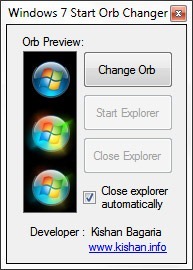
I- Windows 7 Start Orb Changer is a program that allows you to change the circular Start Menu Orb on Windows 7 task bar. The program comes with a collection of 33 different Orb designs to start with. You can also design your own or use Google to find more.
How to use .. Simply open the program’s executable file, create a backup of Windows Explorer to be safe and then click the Change Orb button. Now browse to the Sample orbs directory and apply one of the Orb designs. If you are lucky, I’m saying lucky because the program crashed on me, the Orb will get replaced once Explorer restarts .. really it is worth a try.
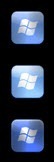
The Orbs are nothing more than bitmap files of the correct dimension. Each Orb file has three Orb images - the Orb at the top gives the default look, the second one appears on mouse hover and the third Orb appears when the Start Menu is open.The program also accepts JPG, PNG and GIF image file types. If you want to restore the original Start Orb, just change the Orb to the first sample start Orb bitmap in the Sample Orbs folder.
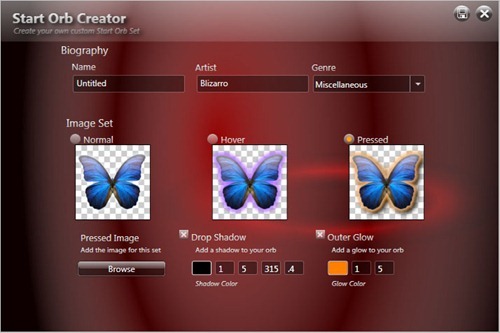
II- StartOrbz ( Start Orb Creator ) is a freeware program that allows you to create Windows 7 Start Buttons. It can also change the Orb but only with buttons created using this program .. Its Features :
- Perfect alpha bitmaps created.
- Orbs are resized to the proper dimensions required by explorer.
- Orb bio info like artist name and orb title are embedded into the images. This cannot be edited making sure all artists to get their credit.
- Import/Export Orb sets.
- Rating system. The more you apply an orb, the higher it gets rated. This is not changeable by the user.
- Category system to let users manage there orbs.
Enjoy!
More great Windows 7 Articles coming soon!
Labels: Change Start Button, Operating Systems, Start Button, Windows, Windows 7, Windows 7 Hints, Windows 7 Tips, Windows 7 Tricks, Windows 7 Tweaks
posted by Unknown @ 11:34 PM
0 Comments


